




















































DeFi wallets are used to manage digital assets and interact with different DeFi protocols such as lending platforms, decentralized exchanges, and staking services. They allow users to safely access the tools shaping the future of finance.

The DeFi space has grown so much as compared to the early days, and the demand for wallets has grown with it. As a result, we’ve seen major improvements to DeFi wallets, and users now have far more options to choose from than they did even a few years ago.
There are now more than 820 million active crypto wallets globally. In the early days, the market leaned heavily on tools with poor UI and clunky recovery processes. That’s changed. The market today is full of wallets that make DeFi more accessible, though the range of options also makes picking the right one harder than it used to be.
DeFi Planet has researched the market to find the top DeFi wallets for 2026. So, as you look to get more involved in DeFi, we’re here to help you learn what’s out there and what actually matters when choosing one.
What Actually Makes a Wallet a ‘DeFi Wallet’
If you want to participate in DeFi, you need a good crypto wallet. There are many wallets on the market, each offering different features, but most share a few important characteristics.
Non-custodial
Users have complete control and ownership over their assets. You are the only one who can authorize transactions, since custody was never handed to a third party in the first place. The trade-off is that losing your keys or your recovery method means losing your funds, with no way to reset or recover them.
Key-based (with more recovery options now)
Every DeFi wallet still uses a keypair, and users are responsible for keeping their private keys safe. Traditionally, this comes as a 12 or 24-word seed phrase, a recovery phrase that can restore the wallet if access is lost. Losing the phrase along with the wallet means losing everything stored in it.
The basic security steps for a recovery phrase haven’t changed:
- Write it down offline and keep copies in more than one location
- Never store a copy of it online
- If you ever restore a wallet using your phrase, move your funds to a new wallet afterward
Five years ago, every wallet asked for the same thing at setup, 12 or 24 words, write them down, don’t lose them, but that’s no longer the only option. Passkey wallets skip the phrase entirely and tie recovery to a Face ID scan or fingerprint through an Apple or Google account instead. A seed phrase can sit on paper in a drawer, completely outside any company’s reach. A passkey can’t. Lose the phone and the linked account at the same time, with no backup passkey set up, and there’s no drawer to dig through.
Multi-chain support
Most DeFi activity in 2026 doesn’t happen on Ethereum mainnet anymore. Layer 2 networks like Arbitrum, Optimism, and Base have picked up a large share of trading and lending volume, and Solana has its own large DeFi ecosystem. A wallet limited to one chain still works, but it usually means juggling multiple wallets and multiple sets of keys.
Transaction transparency
The scams that used to work don’t anymore, so they got quieter. These days, attackers utilize malicious contracts sitting inside what looks like a routine swap. At the point of making a transaction, a user signs it, approves a permission they didn’t actually read, and the wallet empties. Some wallets now show a simulation first. So, you see what’s about to happen before you sign, not after.
Accessible and compatible
All DeFi wallets are built to manage a broad set of assets. An Ethereum-based wallet, for example, lets users hold ETH alongside stablecoins, ERC-20 tokens, and NFTs. Wallets are also built to connect with DeFi protocols directly, and most mobile apps now include a built-in dApp browser so users don’t have to leave the app to interact with a protocol.
Five Wallets Worth Knowing in 2026
So what are the different types of DeFi wallets available in 2026? What features do they support, and what are the pros and cons of each? Let’s go through them.
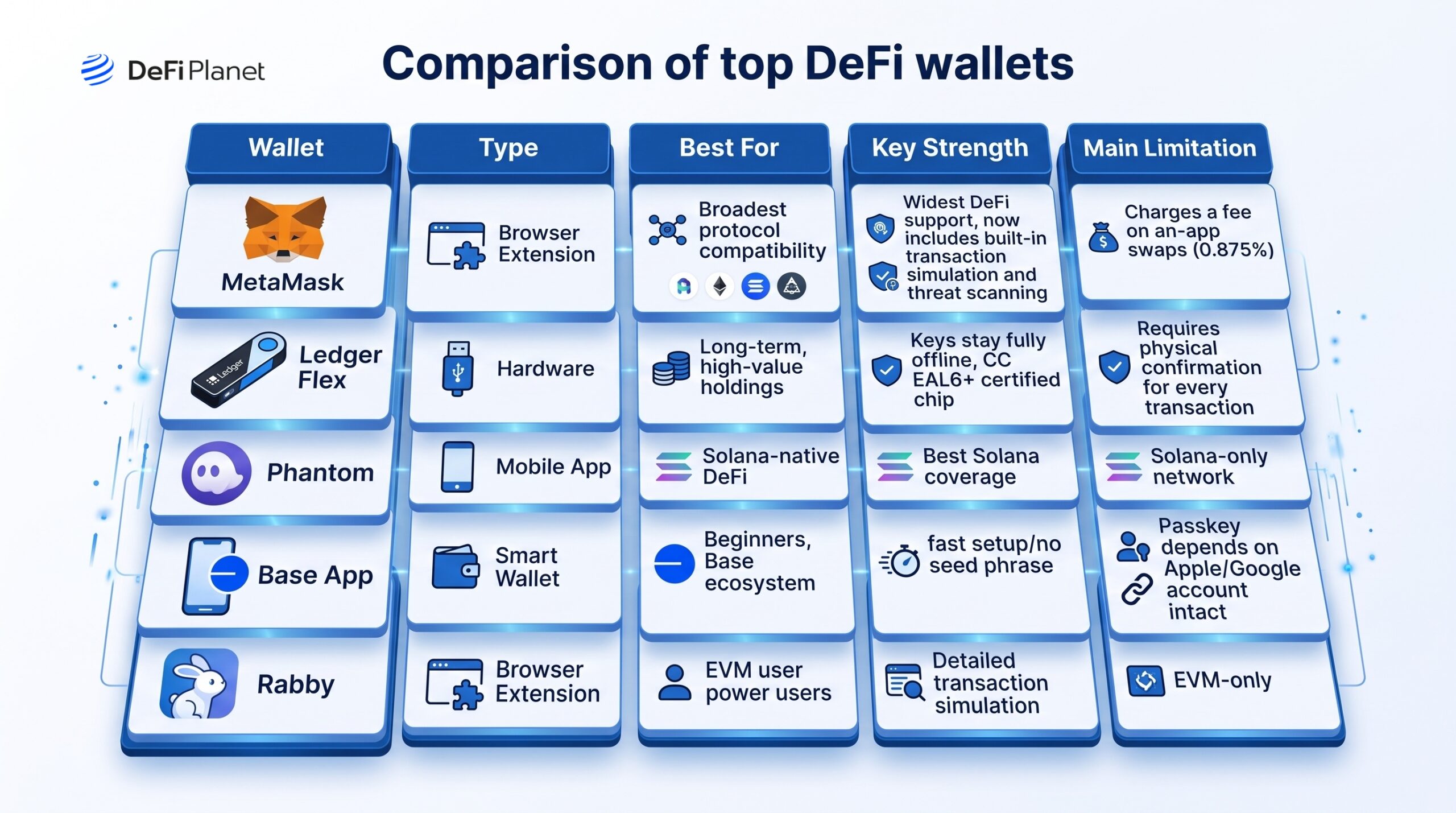
Browser extension: MetaMask
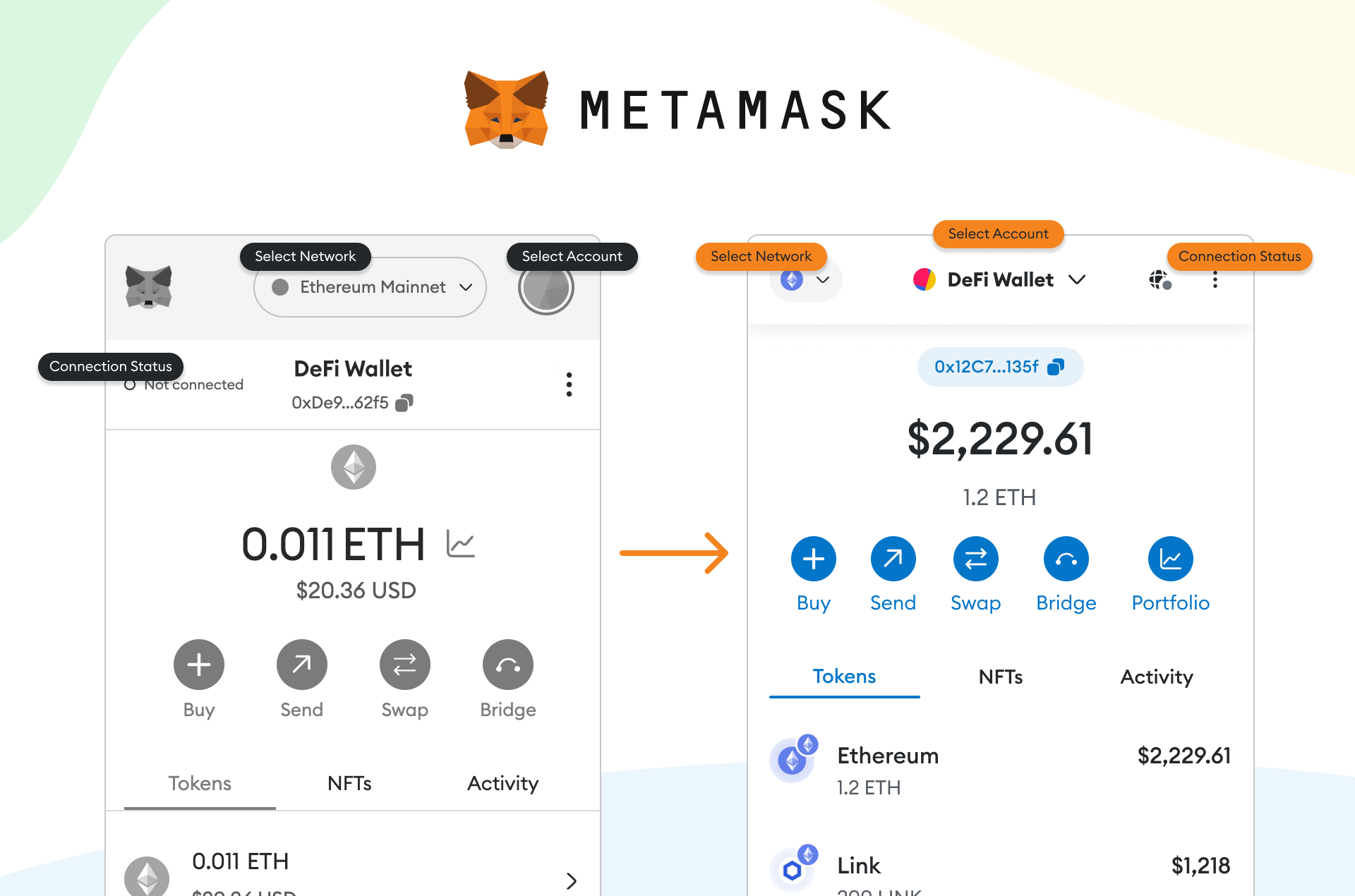
MetaMask is still one of the most used DeFi wallets, and probably the one most users are familiar with. It has around 30 million monthly active users as of 2026, and most protocols build for MetaMask compatibility first.
MetaMask started out supporting only ETH and Ethereum-based tokens. It’s since added Bitcoin, Solana, and Tron, plus Snaps, a plugin system letting outside developers build extra chains or features into the wallet. Some Snaps are solid. Others are put together by a couple of people with no track record, so check who built one before installing it.
What it offers
- One of the most widely supported wallets across the DeFi ecosystem
- Open-source and non-custodial
- Lets users create multiple accounts
- Works as a browser extension on Chrome, Firefox, Brave, and Edge, plus a mobile app
- Pairs with Ledger and Trezor for offline signing
Where it falls short
- It’s a hot wallet, meaning private keys sit on an internet-connected device
- Charges a fee on swaps done through its own interface
Because of this, anyone holding a significant amount in MetaMask usually pairs it with a hardware wallet rather than relying on the extension alone.
Hardware wallet: Ledger Flex
A hardware wallet lets users store their private keys in a secure physical location, keeping assets offline and out of reach of most software-based attacks. Ledger remains the most widely used hardware wallet brand, and its current lineup, the Flex and the Stax, has moved on from the old button-based navigation to a touchscreen interface.
The Flex stores keys on a Secure Element chip with CC EAL6+ certification. The companion Ledger Live app now covers more than just cold storage; it supports swaps, staking, tokenized real-world assets, and access to some DeFi protocols directly.
What it offers
- Private keys stay on an offline chip, never directly connected to the internet
- CC EAL6+ certified Secure Element
- Ledger Live supports over 5,500 cryptocurrencies and tokens with swap, staking, and DeFi access built in
- Works with MetaMask, Rabby, and other software wallets for offline signing
- Proof-of-reserves reporting and optional insurance coverage
Where it falls short
- Every transaction needs a physical confirmation on the device
- Priced higher than earlier Ledger models
- Ledger Live’s own DeFi coverage is still narrower than a dedicated software wallet’s
For anyone who considers security the top priority, a hardware wallet is worth the extra step. The trade-off is convenience. Most people end up pairing it with a browser wallet rather than using Ledger Live alone.
Mobile app: Phantom
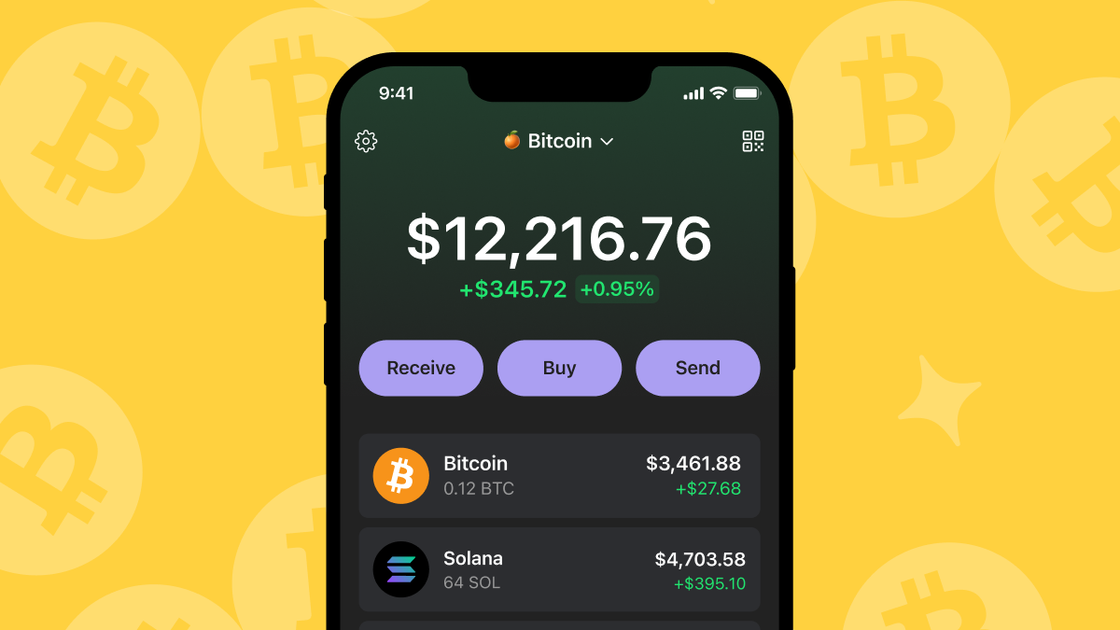
Phantom started out as a Solana-only wallet and has since added support for Ethereum and Bitcoin. It remains the most widely used wallet in the Solana ecosystem and covers the core DeFi use cases there- swaps, staking, and protocol interactions- through a mobile-first interface.
What it offers
- Solana, Ethereum, and Bitcoin support from one app
- Built-in cross-chain swap aggregation
- Staking with no fixed lock-up periods on supported assets
- Automatic filtering of suspected scam airdrops from the NFT gallery
- Hardware wallet compatibility for offline signing
Where it falls short
- Coverage on Ethereum and EVM Layer 2 networks is thinner than dedicated EVM wallets like MetaMask or Rabby
- Not the most practical primary wallet for users whose activity sits mostly outside Solana
Smart wallet: Base App by Coinbase
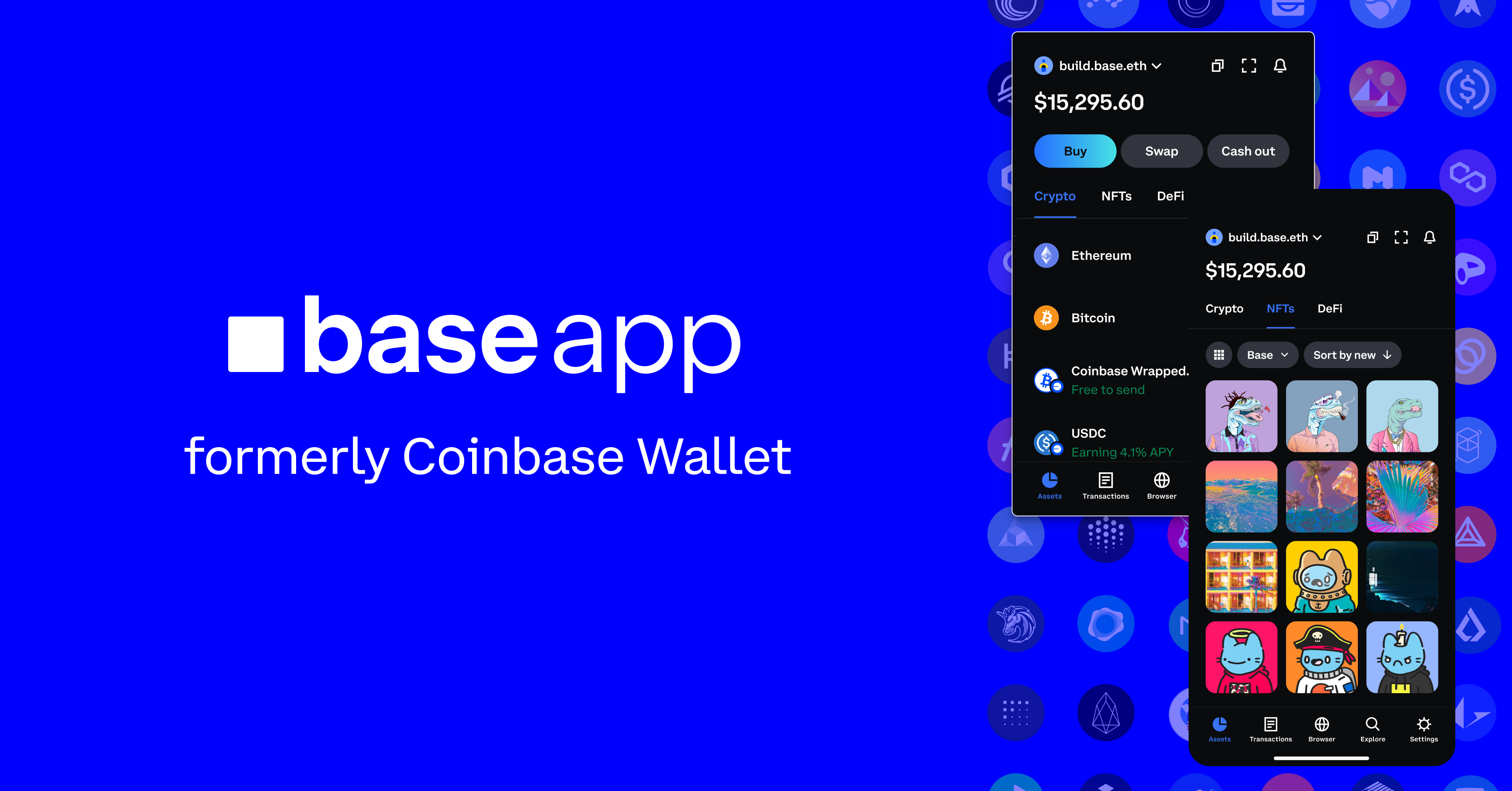
The Base App is Coinbase’s current wallet product, built around account abstraction. Setup doesn’t require a seed phrase. Instead, it uses a passkey tied to biometric login on the user’s device. Coinbase says onboarding takes roughly 15 seconds. If a device is lost, wallet access is recovered through the linked Apple or Google account instead of a written phrase.
What it offers
- Passkey-based setup, no seed phrase required
- Gas sponsorship, letting apps cover transaction fees for users
- Batch transactions that consolidate multiple approvals into one confirmation
- Fee-free USDC transfers within the Base ecosystem
- Base App also offers built-in USDC yield, up to 3.35% APY as of 2026, paid directly to the wallet.
Where it falls short
- Most useful within the Base and Coinbase ecosystem specifically
- Recovery depends entirely on the linked Apple or Google account staying accessible; losing both the device and that account, with no backup passkey set up, means losing access for good
The security model here isn’t necessarily worse than a seed phrase, just different, and worth understanding fully before relying on it for significant holdings.
EVM power user wallet: Rabby

Rabby is developed by DeBank and built specifically for users who interact often with EVM-based DeFi protocols. It’s not positioned as a beginner wallet. Its standout feature is transaction simulation, a preview showing exactly what a transaction will do before it’s confirmed, including which tokens move and what permissions are being granted.
What it offers
- Pre-confirmation transaction simulation showing token flows and permissions
- Automatic network switching across EVM chains
- Security warnings for suspicious contracts and known malicious addresses
- Unified portfolio view across EVM chains through DeBank
- Compatible with Ledger and other hardware signers
Where it falls short
- EVM chains only, no native Solana or Bitcoin support
- Built for experienced users, the interface assumes familiarity with gas, approvals, and contract interactions
READ ALSO: DeFi Aggregators in 2026: How They Work, the Risks, and the Best Platforms
Which DeFi Wallet Is Best For You?
There are many wallets out there, and most of them offer a lot of features. Picking the right one in 2026 depends less on which wallet is “best” overall and more on what you’re actually doing with it.
Most active DeFi users run more than one wallet at once. A few practical ways to think about it:
- New to DeFi? The Base App removes most of the friction around seed phrases and gas fees. Just know it works best within the Base and Coinbase ecosystem specifically.
- Active across EVM chains? MetaMask covers the broadest range of protocols. Running Rabby alongside it adds a transaction preview MetaMask doesn’t offer on its own.
- Primarily on Solana? Phantom covers the main use cases there and adds Ethereum and Bitcoin support if you need it occasionally.
- Holding significant assets? A hardware wallet removes the largest category of software-based risk by keeping keys offline. Pairing it with a software wallet keeps the interface familiar while signing stays offline.
- Managing a DAO treasury or shared funds? Safe, still commonly called Gnosis Safe, remains the standard for multi-signature setups.
A few general practices that apply regardless of which wallet you use:
- Download wallets only from official sources, and verify the URL before connecting to any application.
- Review and revoke contract approvals for protocols you no longer use.
- Never store seed phrases or recovery keys anywhere digital that could be accessed if your device is compromised.
- Understand your wallet’s recovery process before you actually need it.
The New Baseline for DeFi Wallets
For DeFi to keep growing, wallets and other asset management tools remain essential. They let users interact with the ecosystem in a way that’s both convenient and secure, and the tools available today are a real improvement over what existed even five years ago.
DeFi is still evolving, and as it grows, wallets will keep improving alongside it, with better recovery models, better security checks, and broader multi-chain support as the norm rather than the exception.
At DeFi Planet, we’ll keep tracking how this space develops, and we’ll keep this list updated as the tools and the risks continue to change.
FAQs
What is the safest type of DeFi wallet to use?
A hardware wallet is generally considered the safest option, since private keys stay on a physical device that never connects directly to the internet. That protects against most remote hacking attempts, though it comes with less convenience since every transaction needs a manual confirmation on the device.
Do I need a hardware wallet if I’m just starting out with DeFi?
Not necessarily. A software wallet like MetaMask or a smart wallet like the Base App is usually enough while you’re learning and holding smaller amounts. A hardware wallet becomes more important once the value you’re holding is large enough that losing it would actually hurt.
What’s the difference between a seed phrase and a passkey wallet?
A seed phrase is a set of 12 or 24 words that can restore your wallet if you lose access to it. You write it down and store it offline, and you’re solely responsible for keeping it safe. A passkey wallet skips the seed phrase entirely and ties recovery to your Face ID or fingerprint through your Apple or Google account instead. Neither one is automatically safer, they just fail differently, a lost seed phrase means no recovery at all, while a passkey wallet’s recovery depends on you keeping access to that linked account.
Can I use one wallet for everything in DeFi?
Technically yes, but most active DeFi users don’t. Different wallets are built for different chains and different needs, so many people end up running two or three, for example a hardware wallet for savings, a browser wallet for daily EVM activity, and a separate wallet for Solana.
What is transaction simulation, and why does it matter?
Transaction simulation shows what a transaction will actually do before you confirm it, which tokens leave your wallet, what comes in, and what permissions you’re granting. It matters because scams have gotten harder to spot, and a wallet that shows you this preview gives you a real chance to catch something wrong before you sign it rather than after.
Is a smart wallet like the Base App as secure as a traditional wallet?
It’s secure in a different way, not necessarily less secure. Traditional wallets rely on you protecting a seed phrase yourself. Smart wallets rely on the security of your linked Apple or Google account instead. Both can be safe if you understand how each one actually works and what happens if you lose access.
What should I do if I lose access to my wallet?
It depends on the wallet type. If you have your seed phrase, you can restore a traditional wallet on a new device, though you should move your funds to a fresh wallet afterward rather than keep using the recovered one. If you’re using a passkey wallet, recovery goes through your linked Apple or Google account instead, so losing both the device and that account without a backup in place can mean permanent loss.
How many crypto wallets are actively used today?
There are more than 820 million active crypto wallets globally as of 2026, reflecting how much wallet infrastructure has grown alongside DeFi adoption over the past several years.
Disclaimer: This article is intended solely for informational purposes and should not be considered trading or investment advice. Nothing herein should be construed as financial, legal, or tax advice. Trading or investing in cryptocurrencies carries a considerable risk of financial loss. Always conduct due diligence.
Enjoyed this? Bookmark DeFi Planet, explore related topics, and follow us on Twitter, LinkedIn, Facebook, Instagram, Threads, and CoinMarketCap Community for seamless access to high-quality industry insights.
Take control of your crypto portfolio with DEFI PLANET PRO, DeFi Planet’s suite of analytics tools.